Parse: Time & Weather in your browser
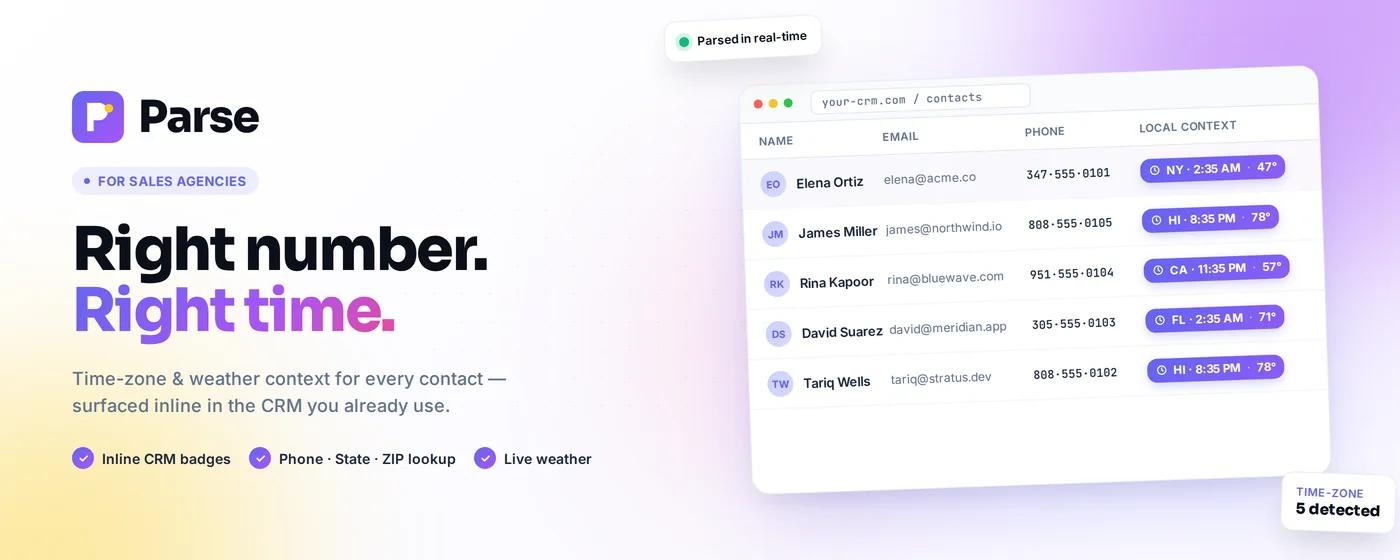
Parse reads phone numbers and ZIP or postal codes from the US, Canada and Mexico on the pages you already work in and shows each contact’s local time, a greeting that suits their time of day and the current weather beside the number. It works in CRMs, dialers and webmail with nothing to set up.
For Chrome, Firefox, Edge, Brave and other Chromium browsers on a computer.
More free lookups on the new servers
Parse runs on upgraded servers with a larger free allowance. Time zones are worked out in your browser, so the daily count only applies to live weather. If you reach it, the local time keeps showing and the popup tells you why the weather stopped.
From a phone number to a good time to call
Parse needs no configuration. Install it, pin it to the toolbar, and open the page you already use for calls.
It finds numbers on the page
As a page loads, Parse looks for phone numbers, ZIP codes and postal codes from the US, Canada and Mexico. Pages that keep changing, like a CRM list you are scrolling through, are scanned again as new rows appear.
It adds a badge beside each one
The badge shows the local time and, if you want them, a greeting such as Good morning, a time-of-day icon and the temperature. Hover mode keeps badges hidden until you point at a row.
You can look up anything from the toolbar
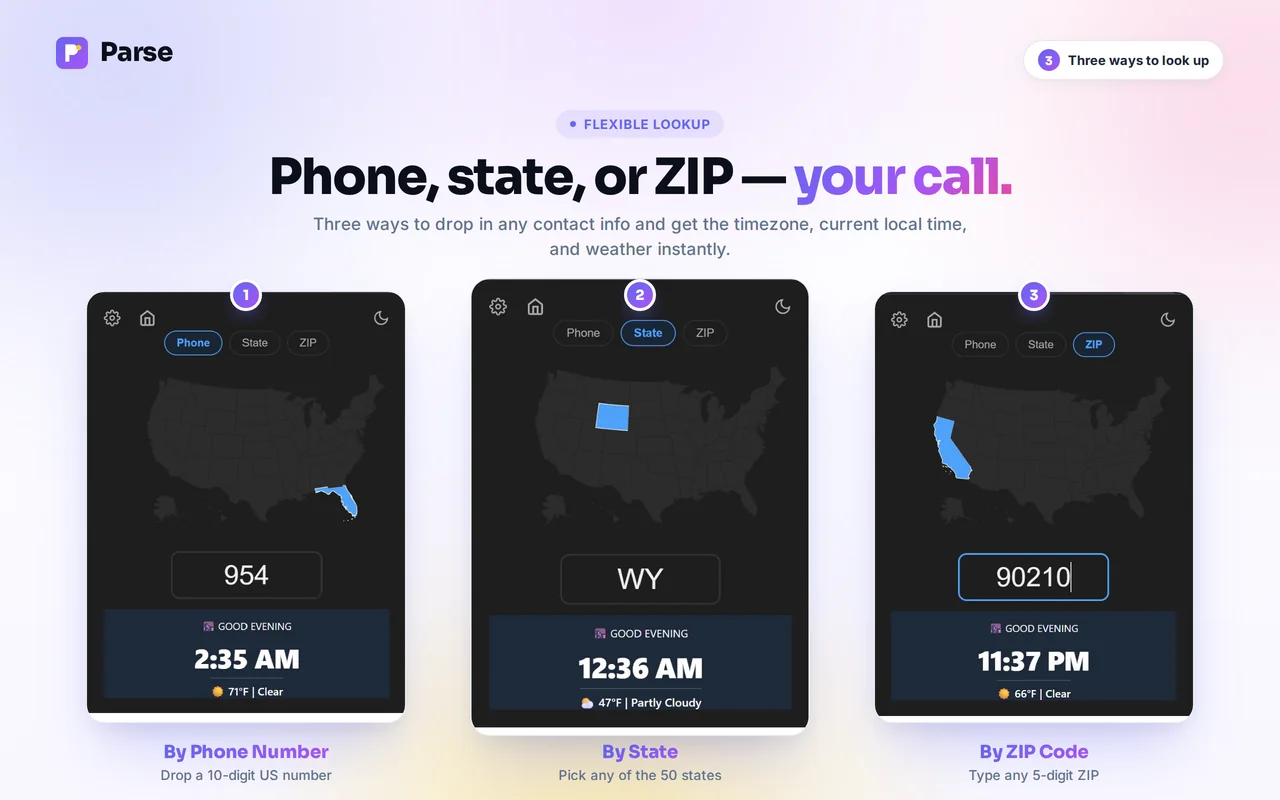
Click the Parse icon to search by phone number, state or ZIP code. The map highlights the state, and the result shows the local time, the greeting to use and the current weather.
Lists go through the bulk lookup
For a spreadsheet column or an export, paste up to 100 numbers, ZIP codes or states into the free bulk lookup and download the results as a CSV file.
The popup and the settings
Adjust it to the way you work
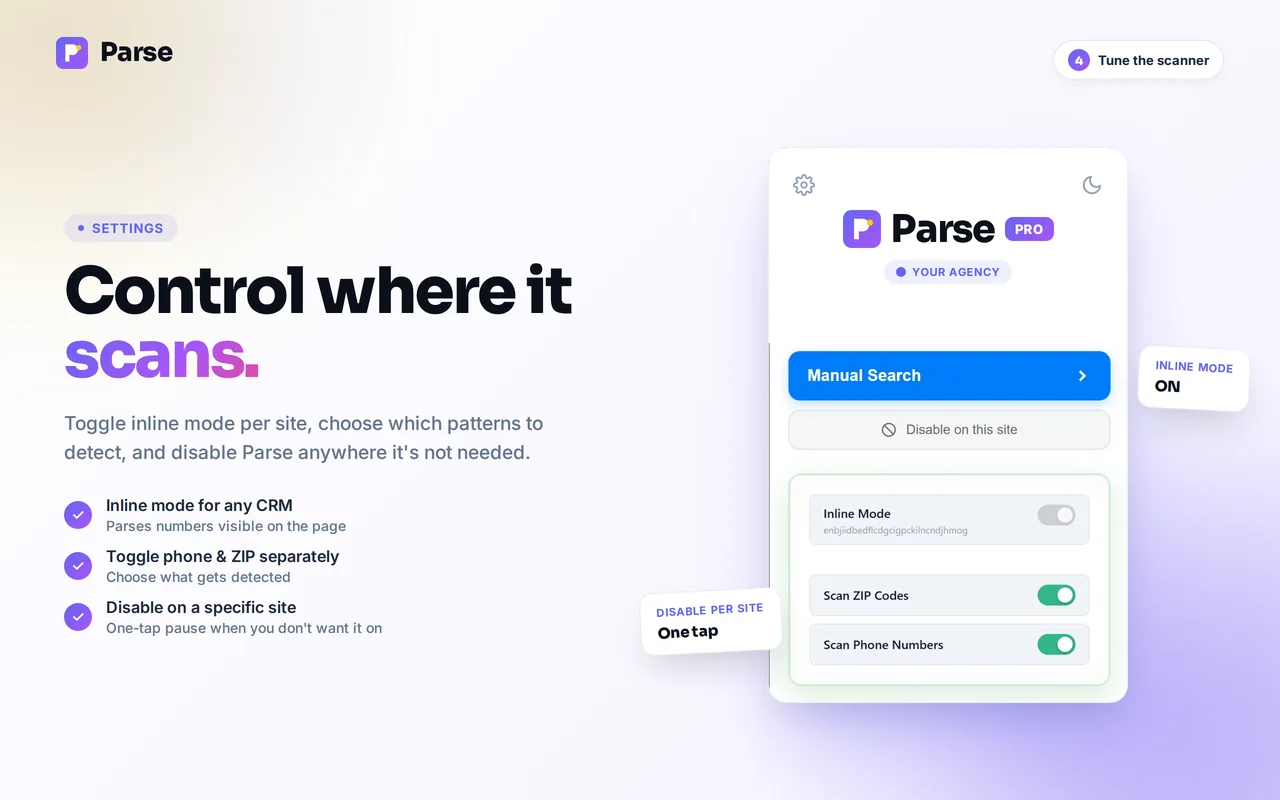
Every option lives on the Parse settings page, and changes apply to open tabs straight away. Settings are stored in your browser, so we never see them.
- Auto-scan pages as they load, or only look up numbers when you ask
- Phone numbers and ZIP codes can be switched on and off separately
- Hover mode hides badges until you point at the row
- 12 or 24-hour time, greetings, time-of-day icons and weather icons
- Badge color from a preset or any custom shade
- Disabled sites and single numbers or ZIP codes you never want badged
- Default search tab in the popup: phone, state or ZIP
Your lead data stays in your browser
Parse scans pages locally. Names, emails and full phone numbers from your CRM are never sent to Pea. To place a number, Parse sends Pea an area code, a ZIP code, the first three characters of a Canadian postal code or, for the weather, a location rounded to about 1 km. Each lookup also carries a random device ID, or your Pea account when you’re signed in, for the daily weather limit. Since version 1.20 Parse makes these requests itself, so they don’t say which site you’re on; earlier versions on Chrome sent the site’s domain, never the page address. Read the full privacy policy.
- Holidays in calling hours: Alabama, Louisiana, Pennsylvania, Rhode Island and Utah, plus France, Spain and Australia
- Lookups come from the extension, so they don’t carry the site you’re on
- Bulk lookup takes 1,000 rows a run
- The badge popup closes when you click elsewhere on Google Maps
- 1.19 brought Canada and Mexico, severe weather alerts, split area codes and the call planner
Is Parse free?
Yes. Parse is free to install and use. Without an account you get 250 weather lookups a day, and a free Pea account raises that to 1,000. Local time and time zones have no daily limit.
Do I need an account?
No. Parse works as soon as it’s installed. An account only raises the daily weather allowance, and the same sign-in gives you Paste and Contacts.
Which sites does Parse work on?
Any site you open in Chrome, including CRMs such as Salesforce and HubSpot, dialers, and webmail like Gmail and Outlook. You can turn it off for a whole domain from the popup, or hide a single number you don’t want badged.
Does Parse send my leads or CRM data anywhere?
No. Page scanning happens inside your browser, and names, emails and full phone numbers stay there. To place a number, Parse sends Pea an area code, a ZIP code, the first three characters of a Canadian postal code or, for the weather, a location rounded to about 1 km. Each lookup also carries a random device ID, or your Pea account when you’re signed in, for the daily weather limit. Since version 1.20 Parse makes these requests itself, so they don’t say which site you’re on; earlier versions on Chrome sent the site’s domain, never the page address.
How accurate is a time zone from an area code?
An area code tells you where a number was first assigned, which is usually where the person lives. Mobile numbers keep their area code when people move, so a ZIP code is the more precise lookup when you have one. A handful of area codes cross a time zone line, and for those Parse goes by the exchange, the three digits after the area code. Our area code pages list the codes that span two zones.
Does it work in Edge, Brave or on a phone?
Parse runs in Chrome, Firefox, Edge, Brave and other Chromium browsers on a computer. It doesn’t run on phones or tablets, but the bulk lookup works in any browser.
Add Parse to Chrome
It installs in a few seconds and starts working on the next page you open. No account needed to start.