Tools for the calls, contacts and passwords you handle every day
Pea makes three free tools that work in your browser. Parse shows a contact’s local time and weather next to any US phone number, Paste turns a password or file into an encrypted link that can delete itself after one view, and Contacts keeps an address book that is encrypted before it syncs.
Parse works without an account. Signing in raises your daily weather lookups from 250 to 1,000.
| Lead | Company | Phone |
|---|---|---|
| EOElena Ortiz | Acme Freight | (212) 555-0148NY·10:42 AM |
| JMJames Miller | Northwind Supply | (312) 555-0172IL·9:42 AM |
| RKRina Kapoor | Bluewave Labs | (303) 555-0119CO·8:42 AM |
| DSDavid Suarez | Meridian Homes | (415) 555-0133CA·7:42 AM |
| TWTariq Wells | Stratus Dev | (808) 555-0165HI·4:42 AM |

Illustration with sample numbers. The times and weather are live. Parse adds a badge like these beside each number it finds, in the style you pick: Custom color.
Three tools on one free account
Each tool does one job well. They share a Pea account, so a single sign-in covers all three, and none of them asks for a card.
Parse
A Chrome extension that puts the local time, a greeting and the current weather beside US phone numbers and ZIP codes on any page.
- 250 weather lookups a day, or 1,000 with a free account
- Search by phone, state or ZIP from the toolbar
- Bulk lookup for up to 100 numbers
Paste
Encrypted links for passwords, keys and files. Contents are encrypted in your browser, and a link can delete itself once it’s opened.
- AES-256 encryption before anything uploads
- See when each link was opened
- Optional password, expiry from 1 hour to 90 days

Contacts
An address book encrypted on your device before it syncs, with a Chrome extension for saving numbers straight from a web page.
- Save a number from any page in two clicks
- Up to five books, plus Do Not Call flags
- Import and export vCards
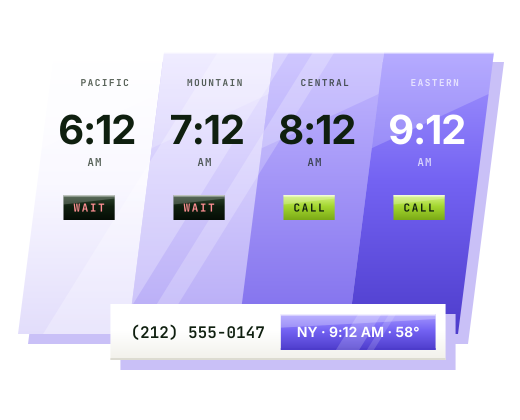
The local time next to every number, before you dial
Parse scans the page you are on for US phone numbers and ZIP codes, works out each time zone in your browser and adds a small badge with the local time, a greeting and the weather. It runs in CRMs, dialers, webmail and lead lists, and you can switch it off on any site where you don’t want it.
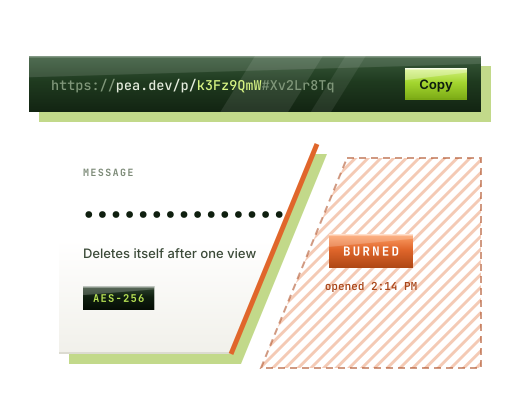
Send a password as a link, then see what happened to it
Type a message or attach files, choose when the link expires and whether it should delete itself after one view. Paste encrypts everything in your browser with AES-256 before it uploads, so our servers hold ciphertext and never the key, the text or the file names.
The Sent tab keeps a record of every link you’ve made, including whether it was opened and when, and whether it burned, expired or was destroyed after too many wrong passwords. If a link went to the wrong person, you can delete it before they open it.
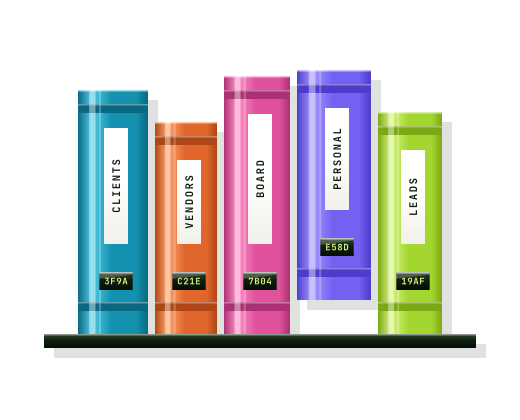
Save a number from any page into an encrypted address book
With the Contacts extension, phone numbers on web pages become clickable. One click opens a small menu to copy, call or text the number, or to save it with a name into one of your books. Numbers you have already saved show the contact’s name, and numbers marked Do Not Call ask you to confirm before dialing.
Everything is encrypted on your device with a vault passphrase that never leaves it. The web app at app.pea.dev/contacts is open now, and the extension is on its way to the Chrome Web Store.
What reaches our servers
The sensitive part of your work stays on your device. This is what each product keeps local and what it sends to Pea.
Parse
Stays in your browser
Page text, names, emails, full phone numbers and your settings
Sent to Pea
A ZIP code or state when weather is on, and an anonymous device ID that counts daily lookups
Paste
Stays in your browser
The message, file names, file contents, the key and any password
Sent to Pea
Ciphertext, a random salt, a hash that proves someone holds the key, the expiry and the open history
Contacts
Stays in your browser
Names, numbers, emails, addresses, notes, photos and your vault passphrase
Sent to Pea
Encrypted records, how many contacts each book holds and when they change
Signing in also sends your Pea account email, which we use for sign-in and account notices. Details are in the privacy policy.
What time is it in area code…
Type an area code or a phone number to get the same badge Parse shows: the local time and the current weather there. Every US area code also has its own page with the cities it covers, overlay codes, and the hours when sales calls are allowed from wherever you are.
Try Parse on your next call list
Install the extension, open the page you already work from, and the local time shows up beside each number. It’s free, and an account is optional.